Tuesday, May 14, 2019

Reasons I don't do Feedly or read blogs. . . .

Reasons I don't do Feedly or read blogs. . . .Twitter and Podcasts
You see, I am a person with minimal free time. I am a wife, parent, grandparent, teacher of two grade levels at the same time, housekeeper, cook, laundry queen, traveller, glamper, book reader, and movie watcher. The last thing I want to do is bury myself in long winded narratives with minimally useful-to-me information. So, I like the condensed versions- the blurb on the back versions. The listen while doing something else version. And that is Twitter and Podcasts. I can grab quick tips and tricks, I can see that next greatest tool, and I can find ideas I can use tomorrow in class all In approximately 200 characters or less. Or better yet, an image. I can then click on a link which will take me to the blog post or show notes where I can learn more about it, contact the poster, or take it and use it. All in a matter of a few minutes-Okay, maybe longer (It's a bit like Pinterest). I listed a few of my favorite posters whom I faithfully follow in my last post so here is my list of must-listen podcasts and why it's a daily do for me:

Blog? Really?

So, what's my hesitation to write blog posts? Do I really think I have nothing to say?
My friends and family would have a good laugh at that! Not being a person of few words,
why do I feel inadequate to share my thoughts and ideas?
It's simple, really...Everything I would share came from someone else.
I essentially have no original ideas. Like any teacher worth their stuff, I know there are
far more gifted and talented educators from whom I can buy (or steal). My sense of
transparency and integrity prevents me from any attempt to take credit where none is due.
So, in order to appease my morality, here are a few words of wisdom I've accrued
and the educators I've learned them from. In no order of importance, by the way.
George Couros-Innovator's Mindset
Holly Clark-Disrupt Education, Google Infused Classroom
First presenter to introduce me to Twitter
Alice Keeler-Be yourself; It's okay to rub against the grain
First Twitter followee to DM me-Yep, she's real!
Matt Miller-Google Teacher Tribe, Ditch That Textbook
Kasey Bell-Google Teacher Tribe, Shake Up Learning
Jake Miller-Animated Gif (Yep, Hard G) Tech Tips
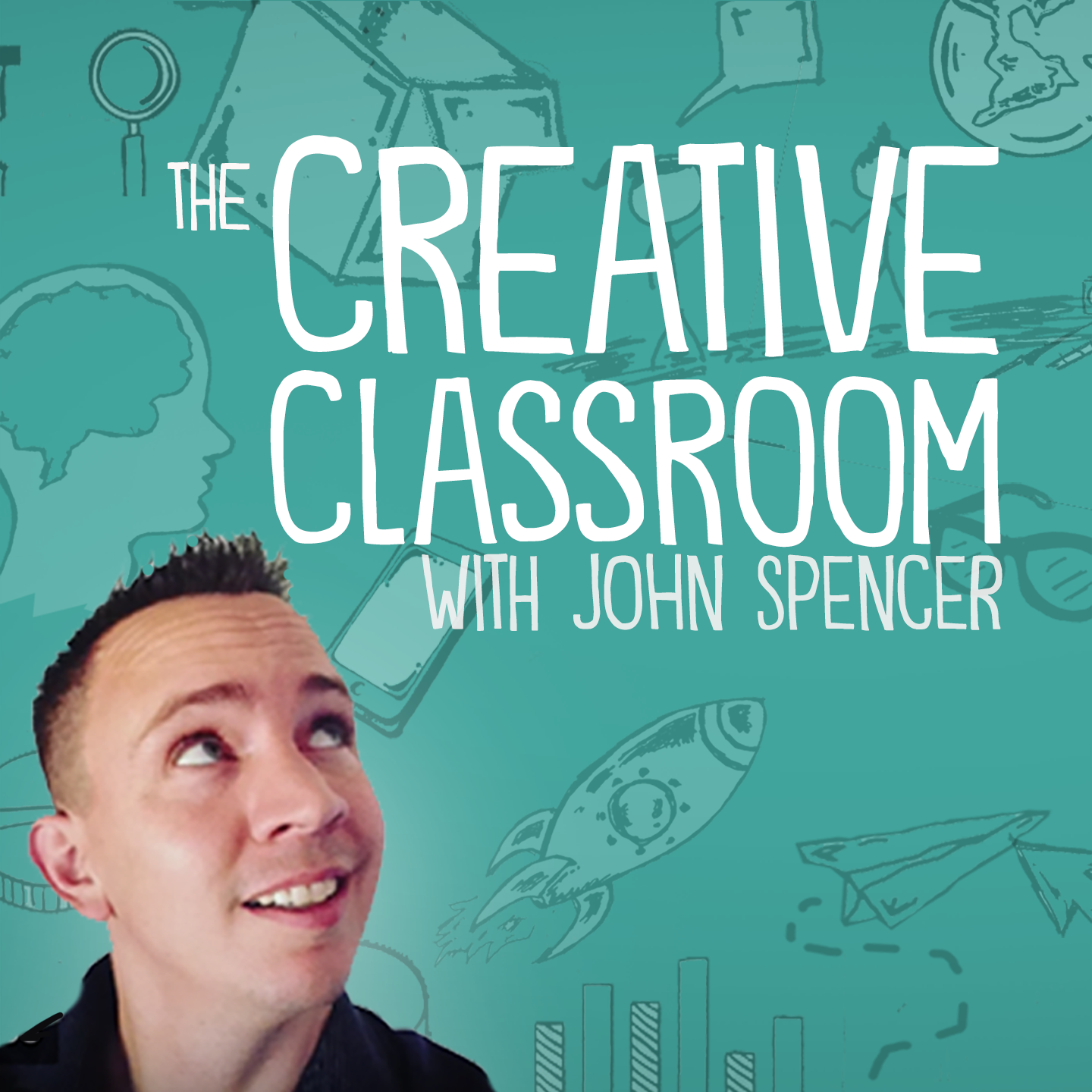
John Spencer-Creative Classroom, Project Based Learning
Tara Martin-Book Snaps
Lissa Highfill-Hyperdocs

Saturday, March 16, 2019

NCCE Inspiration


I was lucky enough to go to the NCCE conference for two days! One of the biggest takeaways I had was that I need to let go of control a little and let my students just explore some of the technology I want them to use. This past week I decided to try it with Google Slides. My students have had one lesson on how to get to slides through Classroom, change the background, add an image and put in a text box. I decided to make this my special project for my writing rotations. I reviewed the steps with my students the day before the first group would try it and then again the day of. We also made a word bank of all of the animals we have learned about. I told students they needed to pick an animal, add a picture of it, change the background and add one fact about the animal with a text box. Once they have done this they can explore any of the other tools they would like. I was nervous, it had been awhile since they had all actually tried slides on their own but I knew I needed to give them the chance to explore. On the first day I sent the group off and told them I would be over to check on them once I had everyone else settled. Three minutes later when I walked over to check all four group members already had accessed slides and were finishing changing their background colors. I was amazed! At this point I told them I would be conferencing with writers and they needed to ask each other for help if they got stuck instead of me. Throughout the next 30 minutes I caught pieces of amazing conversations from my kinder students. I heard things like “that looks cool can you teach me to do it?” and “I don’t remember how to do this part can you help me” I watched my students use their words to walk their peers through the steps instead of taking over and doing it for one another! Looking at their slides my students have learned how to set a theme, add in shapes, create a border to their text boxes, change their text color, resize objects and so much more. I am inspired to try this more with multiple programs and can’t wait to see what these amazing kids can do!

Thursday, March 7, 2019

Mind Blowing PD

I've had a goal since the day I started my new job as Instructional Technology Support Teacher. This goal was to go to as many of the District's trainings as I could. I need to see and hear what teachers are learning about in various topics so that I can think about how technology can be implemented to help support them and their students. So far I've been able to be a part of ELA training K-5, Secondary Leadership Cadre, and recently math K-5 and 6-12.

Today I'm going to focus on the math training. In the elementary training we are part of an online course through Stanford taught by Jo Boaler. In her sessions thus far, she has talked about math being an art. Something that students can explore and find the beauty in. Math should allow freedom to see solutions from many different angles, with tasks that have a low floor and a high ceiling. (This same term was used in the 6-12 math PD when referencing the types of problems or tasks students should be exposed to.) I love how the idea of problems that allow students multiple avenues to solve with lots of room for thinking, transcends grade levels!

In this latest session of Jo Boaler's class we learned about the importance of number sense and how daily math or number talks can help improve all student's number sense, even for those students in high school.  I love the idea of math talks. I think I would have been so much more successful at math, had I been a part of math talks. I've always thought I was good at math, but what I was good at was computations using specific algorithms. I truly did not understand why I was doing what I was doing. Even working through a couple of problems in this session, I was second guessing and rethinking my answers.  The first problem to solve was 18 x 5. Then later we had to solve 25 x 29.  My first reaction was to get a piece of paper and pencil and solve the problem. However the instructions were to solve it in your head without writing it down. To really think about the problem and make sense of it in your head.  After my initial panic, I slowed down, took a breath and really started to think about different ways to put the numbers together. That's when I began to understand. As part of this session, we got to see the conversations of real students (university level students) and how they approached each of the problems.  The conversations of the students was very powerful and seeing multiple ways to solve the same problem was very eye opening. Many of the strategies I would have never have thought of. And yet, when they were explained by the students, I understood and was able to see the problem in a different light. Really working on number sense through math talk is incredibly powerful tool that ALL teacher can possess.

Even after all these years of doing math, I had the experience of understanding math. MIND BLOWN!  The implications of what this could mean for students is staggering. It's time we get students to see the beauty in math. That math is not this stagnant, blah subject. Instead, math is  fluid and creative and full of wonder and freedom that enables all students to think, learn and succeed!

Saturday, February 23, 2019

When the Teacher is Absent


Image result for teacher absent clipart

In the next 3 weeks, I will be out of the classroom 4 days for district provide training.  I will have the incredible opportunity to learn from and work with some amazing colleagues!  I'm really looking forward to the experience, but...being away from the classroom for 4 days can be a challenge.

Each day I am gone from my classroom is one less day I have to teach lessons that align with the goals I have for my class.  It's one less day for me to monitor progress and adjust instruction to meet the needs of my students.  It's one less day for me to provide prompt feedback and guide students towards their learning goals.  It's one less day to connect with my students and build on the relationships we have.

However, technology has made it easier to do all of these things, even when you're not in the classroom!

This week I will be gone for 2 days.  I am attending the NCCE 2019 conference in Seattle!  We are coming off of Mid-Winter Break and 5 snow days prior to that.  I've missed a lot of precious time in my classroom and here I am missing 2 more days.  While I see the importance of attending the conference, that thought that I will be away from my students again, weighs heavy on my mind...as I'm sure it does for most teachers.

Typically, I leave lessons for guest teachers that are related to what we have done in class (a review of previously taught skills) but the tasks do not move students forward and teach them new things.  Given the number of days we have recently missed, I can't afford to do this.  I needed to plan lessons that will move us forward, so the dilemma was...

How do I teach quality lessons when I'm not in the classroom?

With the technology available these days, it has become easier to leave quality lessons in your absence.  Here are a few of the tools I use - 

Google Classroom - This is where I leave any materials students will need in my absence.  It's a tool they are very familiar with and should be able to access with little to no support.  It's also a place where students can ask questions about the assignment.  Their classmates can answer the question or I can answer it using a device like my cell phone.

Screencastify - With Screencastify, I can record videos and share them with my class in Google Classroom.  This week, while I'm gone, students will use a new tool called www.commonlit.org to access material needed for their informational essays.  Since this is a new tool, I thought I'd record a short video to show them how to use it.  I've also used Screencastify to teach math and writing lessons.

Flipgrid - Flipgrid is a great tool that students use to create a short video.  It's simple to use and highly engaging for students.  While I'm gone, I will have them use Flipgrid to reflect on their learning in math.  I can access this information before I return to class and assess their progress towards learning new math skills they tackle in my absence.  These videos will help me stay connected to my students and I can provide timely feedback as well as adjust future lessons accordingly.

My hope is that by using these tools, my class will continue to learn new material, even when I'm gone.

What tools do you use when you're absent?  How has technology changed your guest teacher lesson plans?

Sunday, January 27, 2019

Using Mentimeter for Interactive Learning


Trying out a new tool!
https://www.mentimeter.com/

I wanted to engage my students in some interactive thinking using our 1:1 chromebooks, and thought I'd try out a new (to me) tool called Mentimeter! I like to think of Mentimeter as an enhanced, interactive version of Power Point. You can create slides with classroom content on them and save the presentations connected with your free account (it's as easy as 'sign up using Google'). However, don't expect it to look fancy. The slides don't have as many visual bells and whistles as Microsoft Power Point or Google Slides. They have recently added themes, but you have to upgrade for other background options and customization. I stick with the free version. I am a teacher, after all.😁

That being said, what you can expect from Mentimeter is a variety of interactive opportunities that really engage kids! It's super easy for kids to log in. And I think the simplicity of the page works well in a classroom. A couple of the interactive tools I've tried are listed below.

Open Ended: I've used this a couple times to collect discussion questions and reading notes. By sharing the results on the ProBoard, students could respond to another student's question in their quick write.

Word Cloud: I used this to brainstorm before beginning a new writing unit. We set a timer and added all the things we could remember about informational writing. The words that came up most often are shown larger in the word cloud.

What did I learn? 

  • Make sure to check the box that allows students to submit more than one response (if that's what you want).
  • You cannot trace a student's response back to the student since they do not have linked accounts. However, we had a nice discussion about the appropriateness of adding "butt" to our word cloud. 😒
There are plenty of other interactive features. I hope to try out the polling and voting presentations soon. Please give it a try and share your experience with us!

Monday, January 21, 2019

Using Google Doodles to Teach Elementary Research Skills


When you launch Google some days you'll find their iconic rainbow-colored logo...

black samsung tablet display google browser on screen

However, there are some days where Google treats it's users to a Google Doodle!
screenshot 2019-01-21 at 1.53.12 pm

According to Google...

"Doodles are the fun, surprising, and sometimes spontaneous changes that are made to the Google logo to celebrate holidays, anniversaries, and the lives of famous artists, pioneers, and scientists."

I use these Google Doodles to teach my 4th graders basic research skills.

When I open my Chromebook in the morning and see a Google Doodle, I use the logo to set-up our entry task for the morning. 

The entry task is simple:
  • I go to Google Classrooms and add a question.  Typically I will say, "Check out today's Google Logo.  Who is the logo about?  Tell me 3 things you learned about that person.  Please remember to use your own words and write using grade-level writing skills."
  • Then, as students enter the room, they log-in to their computers and work on the entry task.
  • Once kiddos have finished the work, we will briefly discuss what they learned.
My kids love this activity and learn so much from it.  They learn to read for details, informational writing skills, and research skills.  Plus they learn about some amazing people that had an impact on our world!

I encourage you to give it a try and let me know how it goes!

Tuesday, January 15, 2019

Code Follow Up

"You never know when you will be the catalyst in someone's life." 

The other day a parent and 2nd grade student showed up in my classroom before school inquiring about accessing more coding activities. The child had loved doing the coding activities with my class and wanted MORE. They had even done activities on the Code.org website at home. It became a great opportunity to share. There was a spark in that little girl's eyes! 

Hours and Hours of Code

Throughout December and into January my goal was to introduce coding to primary grades. Being that I am a full-time 5th grade teacher I was challenged to figure a way to make this work. I began with my students. An introduction to the "Hour of Code" on Code.org sparked the initial idea. Students loved trying out all the different coding activities the website provided. Students were engaged and willing to help others problem solve their way through the activities. After watching this active engagement and students helping one another I asked if they would like to teach younger kids how to code. They were up for the challenge. I invited one of our kindergarten classes in and the 5th graders took charge. It was an AMAZING experience! My students were true leaders and the kinders learned to code. Since this was such a positive experience we invited more primary classes in to expose them to the world of coding. Never have I seen 50+ students in a room completely engaged and sad when the time is up before this experience. I believe in the ripple effect so I shared my experience with the other 5th grade teachers and encouraged them to have their classes work with primary classes as well. They shared positive experiences as well. Now to follow up with the primary classes to see what next adventure we can take on.

Saturday, January 12, 2019

Kindergartners can be the Best Teachers!

In December I decided I wanted to try out something new with my kinders. I had learned about Seesaw, an online portfolio for students, last year but hadn’t found an easy way to introduce it to my students so it fell into the background for me. I had the idea this year that I could use this as another way to collect data on my students and thought I would start out with using it to show reading progress having students record their reading of about four sentences packed with high frequency words and CVC words. I called upon our wonderful instructional technology support teacher to come and help me walk my students through this process. She came once and then we decided to have her come again and supervise the kids trying it on their own and helping when needed. Through this process one thing she noticed was that a few of my students mastered this very quickly and a few even were trying to help each other. This sparked the idea creating a new class job for my job chart “technician” a student who the kids would ask before me if they were having technology problems, the kids loved the idea and with that we went into winter break.

Fast forward two weeks and I am welcoming my students back on January 2nd using my morning message to introduce their new weekly reading job on Seesaw and ready to get them started. We set up procedure so the kids knew who’s turn it was and who they could ask for help instead of me since I would be busy working with students! I was super excited and sent the first child off to get started, pulled a reading group and out of the corner of my eye watched as what I thought was a perfect system ran smoothly for the next hour. At recess I excitedly pulled up my teacher account ready to see five students reading and saw nothing. Turns out after two weeks off for winter break nobody fully remembered what to do. I went home that night and after thinking a lot about it I decided tomorrow was a new day and we would start over using a new strategy inspired by our new class job. The next morning I pulled the kids to the carpet and showed them on the smartboard each of the steps they needed to follow. Then I took the first student over and walked them through the process step by step,
but when they were done this time I had them stay and told them they got to be the teacher! When the next student came over, instead of me walking them through the process I had my previous student do it, we repeated the process this way having each student who had just completed the process teach the next. We always say the best way to really learn something is to teach it to someone else. I have been more than impressed watching my tiny five and six year olds demonstrate this the past few weeks. Most of them are now better at the process than I am!

Tuesday, January 8, 2019

1:1 Unplugged

There are many advantages to being a 1:1 classroom: students are highly engaged, there is an endless amount of information at your fingertips, and we rarely use paper.  I love everything about being a 1:1 teacher...even those days when you aren't.

Monday, I walked into the school to discover the internet was down.  Our community has withstood a major winter storm on Sunday and many homes lost power for up to 36 hours.  Many trees were affected and one tree, in particular, came down on the fiberoptic line that connects our school to the wireless network at the district office.  Of the 8 schools in our district, we were the only one without phone or internet.

I LOVE challenges like this, especially on a Monday and not just any Monday, but a Monday after a wind/snow storm, where students lost power at their homes...and now our normal routine was going to be disrupted with the lack of internet.  Thankfully, I'm an experienced teacher and am able to roll with these punches (as a first-year teacher, I may have panicked)!

Thankfully, when I left work on Friday, I did not close out my electronic plan book, and when I opened up my Chromebook, it was there and I could look at my plans for the day.  Of course, everything I planned for the day required the internet.
  • Media Time - talked with the media teacher and she decided to teach the kids how to access books in the library.
  • Math Intervention - normally students spend time on IXL or XtraMath to work on math skills.  Instead, I taught them a new math game called Remainders Wanted which would give them a chance to practice long division which was introduced last week.  This gave me the opportunity to pull small groups.
  • Project Based Learning - I planned to have students brainstorm ideas for our community service project.  Instead of doing this using Google Docs I had to find the paper.  It took me a minute to remember where I stored lined paper for students to write on...but I found it.  I also had to reteach the class how to create a proper heading (name, date, assignment).
  • Reading - thankfully, students were unaffected by this.  I, however, couldn't access my reading conference notes, but I was able to still complete a few conferences anyway.
  • Writing - I planned to have students reflect on their narrative writing assessments, however, these are stored in Google.  So, I had to come up with a Plan B.  Thankfully, I kept old editions of National Geographic magazines from when I had a subscription.  I let students choose an article from the magazine to read.  I had them write, on paper, about what they learned and then partnered them up based on the article they chose.  
All in all, it was a productive day and amazingly, the students were well engaged.  They seemed excited by the change in routine and the novelty of using paper and pencil instead of computers.

On my commute Tuesday, I thought about my Plan B in case the internet was still down and by the time I got to school, I had a clear idea of what I would do, however, as I pulled into the parking lot, the power went out in our school and we closed it for the day...so I went to Plan C, spend a quiet day at home baking and reading a book!
Using technology in the Elementary Schools seems rife with worries and wonderings. Not only from teachers, but from parents, as well.  What if they accidentally access inappropriate content? Am I damaging their young minds by exposing them to more screen time? Is technology really improving student learning? How can I teach my students to use technology when I don't know how to use it? My students are too little, they can't do that.

No matter where I go, I hear questions similar to this everyday.  Although many teachers are trying bits and pieces, many are still grappling with questions that keep them from truly taking the leap into integrating technology.

Technology and young learners can be terrifying. However, it can also be amazingly gratifying! My job as the Instructional Tech Support Teacher is to help ALL teachers feel comfortable enough to start integrating technology into their teaching. How do I do this? Good question! At this point, my goal is to be available to teachers. To show them the possibilities and acknowledge there will be failures! After all, we don't learn without failing! I am to be part of their support system, to answer questions, model, brainstorm or do whatever they need to be successful with instructional technology.

I believe from the bottom of my heart that technology offers opportunities for voice, self expression, individualization, collaboration for students of all ages that previously wasn't available to students. Using technology students can create, collaborate and communicate on a much grander scale (even if its only with the classroom down the hall or a class room across the country.)

I'm excited for this New Year. I'm excited to make connections with more teachers and to fan the flames that other teachers have already started! If we work together we can and will create learning environments for students where technology is seamlessly integrated. We just have to get beyond our own fears of technology so our students can spread their wings and soar!


Monday, December 3, 2018

ESD Reads and Southwood Literacy Videos

Southwood Elementary is in the process of making videos featuring teachers and students as a part of our literacy community education and ESD Reads contribution.  We are excited to share our videos! In an attempt to centralize our video library, I set up a Southwood YouTube channel, which can be found here. https://www.youtube.com/channel/UCrLTBmle22NNjqwhN-1Bfaw?view_as=subscriber

However, if you follow the link.....well, you won't find any videos! At least not yet anyway. It turns out that YouTube will not upload mp4 files. I didn't know this! After a little research, I have learned that I need to go back to Movie Maker and resave our videos as MPEG files. Sometimes we just jump in and learn as we go!

I've never actually set up a YouTube channel before. I'm excited to take on the new challenge. I had to ask my 12 year old son about a few specifics, but he was happy to help. So glad to have an expert in the house! I think we are now on the road to Southwood Elementary YouTube fame!

Please follow our journey and don't forget to subscribe!!  ;-)

Sunday, December 2, 2018

My "Make it Work" Moment

This week I was assigned the task of preparing videos for our school's board presentation.  Staff members sent me their videos so that I could edit them and add them to the presentation. This is something I've done before and thought the work wouldn't be too difficult.  Boy, was I wrong!

My plan was to use YouTube to edit the videos.  I've used it before and found it pretty easy...especially since the editing I needed to do was simple (I only needed to trim some videos, merge others and add a title page to each).  YouTube is not something I use on a regular basis so each time I open it, I have to refamiliarize myself with the tool.

I successfully uploaded the videos, but when I went to find the Creator Studio, I realized things were different since my last visit to YouTube.  After several minutes of trying to navigate the changes, I decided to ease my frustration and elicit the help of an expert...I asked Google (a frequent line of defense I use when there are technology questions)! 

My Google search led to a short video instructing me on how to merge videos.  The instructor was an elementary aged kid!  He clearly walked me through the steps, but when I got to the step for merging I realized the button I needed was missing.  Upon further research, I learned that YouTube recently changed it's editing tools and are launching a new Creator Studio January 2019...great, but that won't help me with the presentation due Monday, December 3!!

So...I downloaded the videos to my laptop and launched Windows Movie Maker...a reliable tool I've used MANY times before.  After several hours of work the videos were successfully edited, re-uploaded to YouTube and linked to our Google Slides presentation!

The moral of the story...when things don't go as planned make it work and take the steps to figure it out.  Ask for help, search Google and if all else fails, go back to the basics.  Now, let's cross our fingers and hope for a successful board presentation!

Image result for make it work

Tuesday, November 27, 2018

Tech is Messy!


Have you ever tried something new, something that seemed like it could be magical? You plan, you envision, you prepare. The day finally comes when you'll use this something new with your students...and the reality is far from the vision!  This happened recently in a first grade classroom I went into. I wanted to try Autodraw with them so they could record their thinking through pictures. I brought in a pile of new styluses, had the link set up in Classroom and a group of eager 6 year olds ready to learn something new!

We had lots of steps to get through first (logging onto the Chromebook with their login, not generic session, joining Google Classroom, clicking the link to Autodraw...) all before we could actually do the work. The kids were amazing! They were following directions and doing everything just right! Did I mention these 6 year olds were working in collaborative pairs? Not only did they have to follow the directions, but they had to make sure they were working together and sharing the Chromebook. Not an easy feet! But they were doing it and doing it better than I had anticipated!

Then came the actual assignment. After a quick demonstration of how Autodraw works, they were set to show their thinking. They needed to create a picture showing their favorite character or part of the class chapter book they were reading. The students instantly started talking with their partners to figure out what they were going to draw. Great ideas were flying around! AND THEN...they started to draw. This is where REALITY struck. The styluses that were meant to make drawing easier didn't work. Their fingers weren't sliding across the touch screens easy enough to create a fluid line. They were struggling to create a picture. They were getting frustrated---oh wait... perhaps it was me getting frustrated! They kept plugging away at it, trying to find better ways to get their drawing to look the way it should. The lesson didn't go as I had planned, however the students were really engaged and excited about trying something new! They never gave up! They didn't care how "messy" learning something new was. They were determined to draw their thinking.

As educators we can learn a lot about perseverance from a 6 year old! We need to remember to take a deep breath and keep trying! The mess is so worth the potential gains!

Tech is messy! We need to allow ourselves and our students to get messy in order to create an environment where they can create, collaborate and share their thinking

Wednesday, November 14, 2018

My Adventures in Logging on with Kindergartners!

 My Adventures in Logging on with Kindergartners!
The light blue half sheets are my student's login cards.
Their information is written large enough that they can
track where they are at with their finger.
I love using technology with my kindergarten students! I have a few programs I come back to yearly that I feel really benefit my students and add to the lessons I am teaching. I also enjoy introducing and experimenting with new things. My biggest problem has always been that daunting task of how do I teach these tiny 5 year olds, some who don't even know any letters or numbers, how to log on to our devices with their usernames and passwords? But that’s not all, then once they log onto to the device, they most likely have to log on to whatever program we are using too! By the time they finally get all logged on it's 30-45 minutes later and it's time to move onto something else. Plus, I have spent that whole time helping with issues or helping students find the letters on their keyboards and the rest of my class who aren't on computers has been doing something on their own without my support. Usually around January, like everything else in our magical kindergarten land, most students start to become independent at it and then the real fun begins, but now half the school year is gone and I am left wondering what more I could have done if I had had more time!
This year I wanted to make a change...
One student pausing to help a classmate troubleshoot his
problem! They figured it out without any assistance
from me and were back working within minutes.
I set a goal that all of my kids were going to be proficient at logging in by the end of September! To do this I met with my amazing friend who also happens to be our district technology support teacher to brainstorm some strategies. We came up with two simple things I would implement starting day one of school and let me tell you...IT WORKED! Not only could all of my students log on to their devices with zero assistance from me, but they also had learned how to get to our online math program and use it all in one short month. Then by the end of October my students had learned to completely manage our online reading program solo as well as some simple problem solving tools if some basic things went wrong with their device. Now, it is mid November and I am introducing Google Docs as a writing station when in years past this wasn't possible until March!
The secret to their success is so simple that anyone can do it!
1. Each of my students has their own laminated keyboard. Their morning work is to get out their login card, find and circle, in order each letter or number in their username and password with a Vis-a-Vis pen. If they have a letter or number occurring more that once they circle it again. Then I simply rinse them off in the sink and they have them to practice on the next day. This now takes them only about 3 minutes total and about half of my students have their full login information memorized already!
2. My amazing district tech support teacher mentioned above, spent one day pulling each of my students one at a time in the first week of school and walking them through the login process. She also gave them a few key tips that has helped them become tech issue problem solvers before asking me!
I’ve always tried to have the kids begin logging on for the first time in small groups. This meant they did a lot of waiting and I felt like I was being pulled in 6 different directions at once the entire time. One on one is definitely better and probably took less time in the long run.

Needless to say, I am very proud of my students and so excited for the all the extra time we have for new adventures in tech!

Thursday, November 1, 2018

I'm Lori Tuttle and for the past 20 years I've been a fourth/fifth grade teacher in a small town at the base of Mt. Rainier named Enumclaw. I have a love of learning-especially messy learning-through projects and Disney STEAM trips. I spend most of my days along side some of the best kids around and go home to my husband, kids, and grandkids every night where I spend time searching for new and exciting things to do next. From piecing together Apple Macintosh computers and dot matrix printers with wires all over my room to my Interactive whiteboard and 1:1 Chromebooks connected to the far corners of the world, technology has always been at the forefront of my practice. If a new tech tip comes out I guarantee my students and I will be on it in a flash. I'm passionate about integrating technology that engages students and empowers them as learners and have loved the opportunities and collaboration offered to me in the Enumclaw School District as an ITL.

Marsha Henderson- Sunrise

My name is Marsha Henderson and I have been a teacher in the Enumclaw School District for 24+ years. My current position is teaching 5th grade at Sunrise Elementary. I grew up in Enumclaw and believe in giving back to a community that gave me so much. Empowering children to be confident leaders is something I take pride in. I am willing to expand and learn more innovative ways to teach with technology to enhance student learning.

Jen Larimore


My name is Jen Larimore and I am currently a kindergarten teacher at Westwood elementary in Enumclaw. I have been in this position for 6 years alternating between a K/1 and just Kindergarten classroom. I have found my passion is teaching Kindergarten and as of right now I plan on living in that world forever! Technology and playing around with new innovations have always been a personal love of mine. My newest goal is to expand my use of technology in my classroom in order to enrich learning experiences as well as engage, support and inspire my colleges in their own learning around this.

I am Shannon Cunningham...Black Diamond ITL!

My name is Shannon Cunningham and I am a teacher at Black Diamond Elementary.  Over the last 14 years, I've taught grades 3-6.  This year, I am teaching a 3rd/4th-grade combination class.  I have a business degree from the University of Washington and a Masters degree in Elementary Education from Eastern Washington University.  I have been married for 25 years and have 2 daughters, both are attending Washington State University. My husband and I recently moved to a mountain cabin in Greenwater, Wa...population 67 people!  In my spare time, I like to read, travel and cook.

I love being a teacher and am passionate about teaching kids to become independent learners who are confident and believe in themselves.  I also want them to learn that failure is a good thing and it's important to persevere in order to reach our goals.  I am consistently looking for ways to make learning exciting and accessible to all students.  I often try new things...sometimes they work and sometimes they don't, but I keep working at it!


Reasons I don't do Feedly or read blogs. . . .

Reasons I don't do Feedly or read blogs. . . .Twitter and Podcasts You see, I am a person with minimal free time. I am a wife, parent...